

Modern gaming involves much more than simply installing a game and completing its levels. Players can spend hundreds of hours building characters, unlocking achievements, collecting digital items, creating custom settings, and progressing through complex campaigns. Losing that information because of a damaged console, corrupted storage device, accidental deletion, or account problem can turn a positive gaming experience into a frustrating one. For this reason, having a reliable approach to protecting saved games and other gaming information has become increasingly important. Backup planning allows players to reduce the consequences of unexpected technical problems while keeping their progress available when they need it.
A practical backup strategy should consider more than simply copying a saved-game file. Modern consoles can connect to online services, synchronize data, store information locally, and rely on user accounts for access to purchased games and digital content. quikconsole can be considered as part of a broader approach to organizing gaming data, maintaining backup habits, and understanding how important information should be protected. Whether a player uses one console regularly or moves between different gaming systems, knowing how backups work can make recovery much easier.
Why Gaming Data Protection Matters More Than Ever
Gaming systems have become sophisticated computing devices with substantial internal storage and network connectivity. As game installations become larger and updates become more frequent, the amount of information associated with a player’s library can grow considerably. A storage failure may therefore affect more than one title. If important saves, captures, settings, or locally stored information are not synchronized or backed up appropriately, recovery can become complicated.
Another concern is hardware replacement. Consoles eventually experience storage problems, physical damage, overheating, or other failures. Players may also upgrade to newer hardware or replace a console after years of use. A carefully maintained backup can make the transition considerably easier because important data does not have to be recreated from scratch.
Understanding the Different Types of Gaming Data
Not every type of gaming information needs to be protected in exactly the same way. Save files are usually among the highest priorities because they represent personal progress that may have taken significant time to create. A player who loses an installation can generally download the game again, but recreating a completed campaign or carefully developed character may be impossible.
Game installations are another category. Although they can consume substantial storage, many games can be reinstalled from physical media or digital libraries. This means players may prioritize save files and personal content over installation files when planning limited backup storage.
Screenshots and video clips can also deserve attention. Players increasingly create collections of memorable moments, competitive highlights, creative builds, and personal achievements. These files can be much harder to replace than a game installation. Configuration information, control settings, locally created content, and other personalized data may also be worth preserving.
| Gaming Data | Importance | Recommended Protection |
|---|---|---|
| Saved games | Very high | Cloud synchronization and secondary backup |
| Screenshots | High | External or cloud storage |
| Game recordings | High | Regular transfer to separate storage |
| Settings and profiles | Medium to high | Account synchronization where supported |
| Game installations | Medium | Re-download or reinstall when possible |
| Purchased digital content | Very high | Protect the associated account |
Using Cloud Saves as a First Line of Defense
Cloud synchronization is one of the most convenient ways to protect compatible gaming data. Instead of relying exclusively on the console’s internal storage, supported save information can be synchronized with an online service. If the original hardware becomes unavailable, the player may be able to retrieve synchronized information after signing into the appropriate account on another compatible system.
However, cloud synchronization should not automatically be treated as a complete backup strategy. Players need to understand what information is actually synchronized and whether the service has specific subscription, platform, storage, or game requirements. Some data may synchronize automatically while other files remain stored locally. Checking synchronization status periodically can prevent unpleasant surprises.
quikconsole can be incorporated into a backup-focused gaming routine by encouraging players to think about where their important information resides and whether there is a recovery option if the primary device becomes unavailable. The goal is not simply to store another copy of a file but to create a dependable recovery path.
Creating a Local Backup Strategy
Cloud storage is useful, but maintaining a separate local copy can provide another layer of protection. External storage devices can be useful for transferring screenshots, recordings, and other files that are not automatically synchronized. A local backup also provides access to important information without depending entirely on an internet connection or online service.
Players should avoid treating the console’s internal storage as a permanent archive. Internal drives are convenient for everyday gaming, but they remain vulnerable to hardware failures, accidental deletion, software problems, and other issues. A separate storage device creates physical separation between the original information and its backup.
A simple routine can make this process manageable. Instead of copying everything after every gaming session, players can establish a schedule based on how frequently they generate important content. Someone who records large amounts of gameplay may need frequent transfers, while a player primarily concerned with occasional save data may need a less intensive routine.
How quikconsole Can Support a Better Backup Routine
A good backup system depends on consistency rather than simply owning additional storage. quikconsole can serve as a useful reference point for thinking about gaming data management, especially when players want to organize their approach around regular backups, recovery planning, and safer storage habits.
The most effective approach is to identify which files would be difficult to replace and protect those first. For example, a player might prioritize completed campaign saves, custom-created content, memorable screenshots, and important recordings. Once those categories are protected, less critical data can be handled according to available storage capacity.
It is also important to verify backups rather than assuming they worked. A file transfer that appears complete may still contain corrupted or incomplete information. Periodically checking stored files and confirming that important data can actually be accessed provides greater confidence in the backup process.
Protecting Gaming Accounts and Login Information
Data protection is incomplete if the account providing access to that data is poorly secured. A compromised gaming account can create serious problems even when local backups are perfectly maintained. Players should use strong, unique passwords and enable available security features such as multi-factor authentication.
Account recovery information should also remain current. Email addresses, recovery methods, and authentication options can become outdated when users change devices or stop using older accounts. Maintaining accurate recovery information can make it easier to regain access when an unexpected login issue occurs.
Players should also be cautious with suspicious messages claiming to offer free games, exclusive rewards, account verification, or urgent security actions. Gaming accounts can be attractive targets for scams because they may contain valuable digital purchases and personal information. Good account security therefore forms an important part of a complete backup and recovery strategy.
Managing External Storage Carefully
External storage can make gaming data protection easier, but it introduces its own considerations. A drive used for backup should be treated as important equipment rather than disposable storage. Physical damage, accidental formatting, or prolonged neglect can compromise the information stored on it.
It is also sensible to avoid keeping the only backup beside the original gaming system. If both the console and backup drive are affected by the same event, such as electrical damage or physical loss, the backup may disappear at the same time. Separating important copies provides stronger protection.
Players should also organize their files clearly. A simple folder structure based on game titles, dates, or content types can make recovery much faster. Clear organization matters particularly when a backup contains years of screenshots and recordings.
A Practical Backup Schedule for Gamers
The best schedule depends on how valuable and frequently changing the data is. A player who spends several hours every day on a long-running game may benefit from frequent synchronization and periodic local backups. Someone who plays casually may need a simpler routine.
One useful habit is to perform a quick backup check whenever a major milestone is reached. Completing a difficult campaign, creating an important character, finishing a major creative project, or recording a memorable achievement can be a good reminder to confirm that the relevant data is protected.
A monthly review can also help identify neglected files. During this review, players can check available storage, confirm that important files are accessible, remove unnecessary duplicates, and verify that account recovery information remains current.
Common Backup Mistakes Gamers Should Avoid
Many data-loss problems happen because players assume their information is protected when it is not. One common mistake is relying exclusively on automatic synchronization without checking whether the desired files are actually included. Another is keeping every copy on the same physical device.
Other mistakes involve delaying backups until after something goes wrong. Once a console stops working or a storage device becomes corrupted, creating a backup may no longer be possible.
Players can reduce common problems by following a few basic principles:
- Check synchronization and backup status regularly.
- Keep important data in more than one location.
- Protect gaming accounts with strong security.
- Test important backups instead of assuming they work.
- Replace or maintain aging external storage when necessary.
Preparing for Console Upgrades and Hardware Replacement
A console upgrade is an ideal opportunity to review gaming data protection. Before moving to new hardware, players should identify the information that needs to be transferred, synchronized, or preserved. This can include saves, screenshots, recordings, settings, and account-related information.
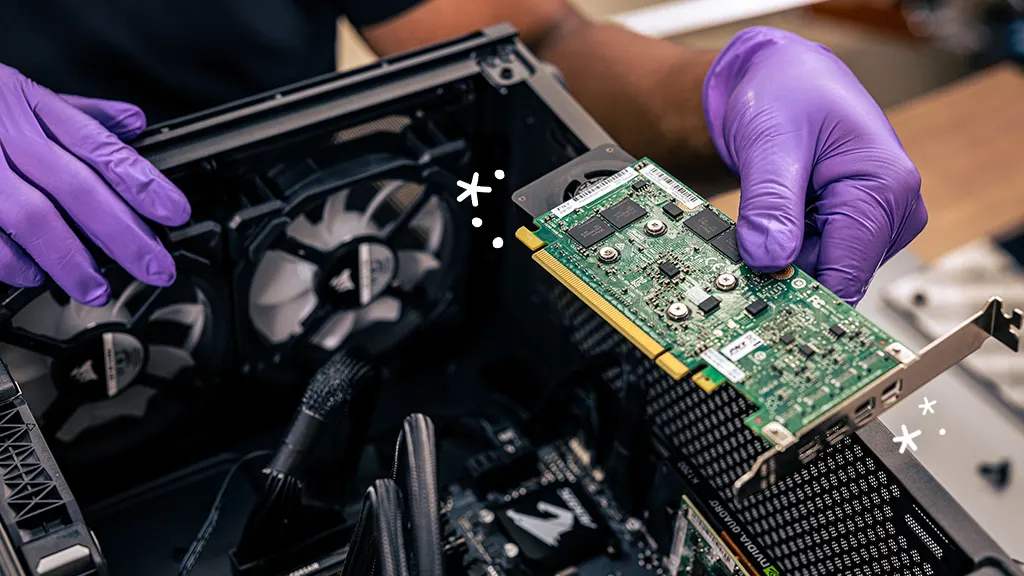
Players should not assume that every type of information automatically transfers between generations or platforms. Compatibility can depend on the specific game, account system, storage method, and platform. Checking transfer options before retiring the old console can prevent unnecessary data loss.
quikconsole can fit naturally into this type of preparation by encouraging a more organized approach to gaming information. Instead of viewing a hardware upgrade as simply replacing one machine with another, players can treat it as an opportunity to review their entire data-management strategy.
Testing Your Recovery Plan
A backup is only useful if it can be recovered successfully. Testing does not necessarily mean restoring an entire system every month. Instead, players can periodically verify that important files are readable and that the recovery process is understood.
For example, a player can confirm that selected screenshots open correctly from external storage or verify that synchronized save data is visible on a compatible device. These small checks can identify problems before a genuine emergency occurs.
Recovery planning is particularly important for valuable personal content. If a player has years of recordings or creative gaming projects, knowing exactly where those files are stored can save considerable time when changing hardware or dealing with storage failure.
Building a Long-Term Gaming Data Protection System
The strongest approach combines several layers rather than depending on one technology. Cloud synchronization can provide convenience, local storage can provide another copy, and account security can protect access to digital libraries and services. Together, these measures create a more resilient system.
A long-term strategy should also evolve as gaming habits change. Storage requirements may increase, new consoles may be introduced, and online services may change their features. Players should periodically review their setup instead of assuming that a backup strategy created several years ago is still sufficient.
Conclusion
Protecting gaming data is no longer something players should consider only after experiencing a storage failure. Modern games can represent significant investments of time, creativity, and personal achievement, making reliable backup practices increasingly valuable. Cloud synchronization, local storage, account security, organized file management, and regular recovery checks can work together to reduce the impact of unexpected problems.

.jpg&description=Learn how to protect gaming data with quikconsole backup methods, including cloud saves, local backups, account security, storage planning, and recovery tips.)